
QR Code Generator
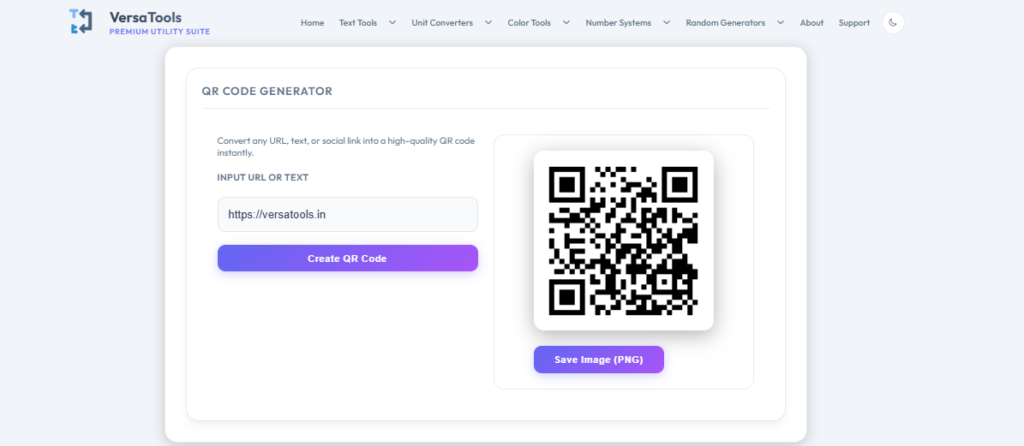
Convert any URL, text, or social link into a high-quality QR code instantly.
QR code preview will appear here
QR Code Generator – Create QR Codes for URLs, Text, and More Instantly Online
The VersaTools QR Code Generator allows you to instantly create a QR code from any URL, plain text, phone number, email address, or custom data. Generate your QR code in seconds and download it as an image for use on business cards, flyers, posters, product packaging, websites, presentations, or any print or digital application.
No account, no subscription, and no software installation required. Simply enter your content, click Generate, preview your QR code, and download the image — the entire process takes under ten seconds.
What is a QR Code?
A QR code (Quick Response code) is a type of two-dimensional barcode that encodes information as a pattern of black and white squares arranged in a grid. QR codes can be read by any modern smartphone camera or dedicated QR code scanner app, which instantly decodes and acts on the embedded information — opening a website, displaying text, starting a phone call, or connecting to a WiFi network.
QR codes were invented by Denso Wave in Japan in 1994 for tracking automotive parts, but have since become one of the most universally adopted data-encoding technologies in the world, used in retail, marketing, payments, restaurants, transportation, healthcare, and countless other industries.
What Can You Encode in a QR Code?
- URLs and website links — the most common use case, directing users to a specific web page
- Plain text — any message or information up to approximately 3,000 characters
- Email addresses — pre-filling the To field in the user’s email app
- Phone numbers — triggering a call when scanned
- SMS messages — pre-filling a text message with a specified number and message body
- Wi-Fi credentials — allowing users to connect to a WiFi network without typing a password
- vCard contact information — sharing a full digital business card
- Geographic coordinates — opening a map location
- UPI payment links — enabling direct digital payments in India
Real-World Uses for QR Codes
- Business cards — linking to a personal website, portfolio, or LinkedIn profile
- Restaurant menus — contactless digital menus that customers scan at the table
- Marketing materials — connecting printed flyers, posters, and packaging to online content
- Product packaging — linking to product information, how-to guides, or warranty registration
- Event management — ticketing, check-in, and attendee verification
- Retail and e-commerce — inventory management, price checking, and product authentication
- Payment — UPI QR codes in India, WeChat Pay in China, and global payment systems worldwide
- Education — worksheets and textbooks linking to supplementary online resources
Tips for Creating Effective QR Codes
- Keep the encoded content as short as possible — shorter content creates simpler, easier-to-scan QR codes
- Test your QR code with multiple devices before printing it on physical materials
- Ensure sufficient contrast between the dark and light areas — avoid low-contrast colour combinations
- Leave a clear border (quiet zone) around the QR code for reliable scanning
- Use a short URL or URL shortener if your web address is very long, to keep the QR code simple
- Print at a sufficient size — QR codes smaller than 2cm × 2cm may be difficult to scan reliably
Frequently Asked Questions :
Static QR codes like those generated by this tool do not expire. The code works as long as the content it encodes remains valid.
Yes. QR codes generated by our QR Code generator are free to use for both personal and commercial purposes. Download the image and use it in any print or digital project, including business materials, product packaging, and marketing campaigns.
A QR code can hold up to approximately 3,000 alphanumeric characters or 7,000 numeric digits at maximum data density. However, the more data encoded, the more complex the QR code becomes, which can make it harder to scan reliably. For best results, keep encoded content concise — especially for QR codes that will be printed at small sizes.
Yes. Completely free, no account or installation required.
Try Our Other Free Tools
VersaTools offers a complete suite of free online utility tools — no signup required.
- Password Generator → https://versatools.in/random-generators/random-password-generator/
- UUID Generator → https://versatools.in/random-generators/uuid-generator/
- Hash Generator → https://versatools.in/random-generators/hash-generator/
- MAC Address Generator → https://versatools.in/random-generators/mac-address-generator/
- Color Visualizer → https://versatools.in/color-tools/color-visualizer/
- Random IP Generator → https://versatools.in/random-generators/random-ip-generator/