
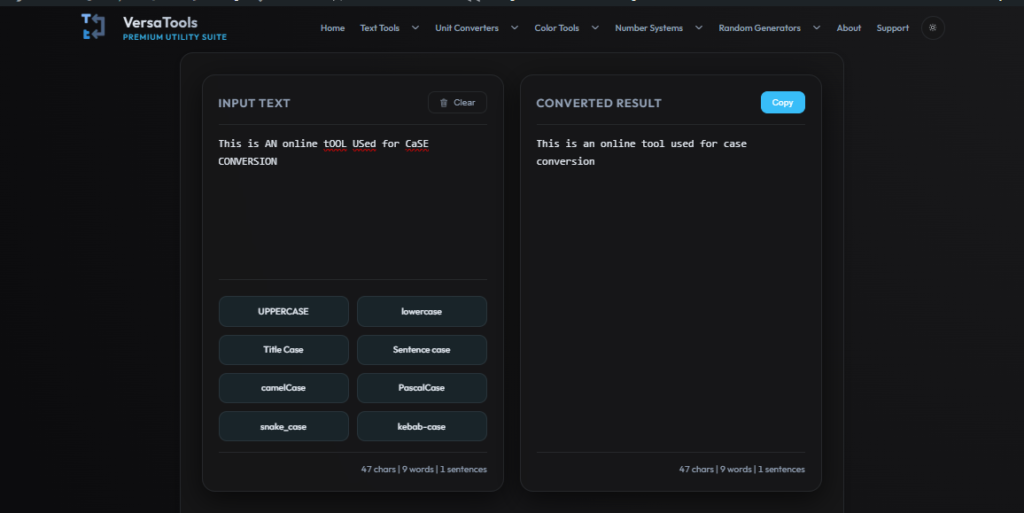
Input Text
Converted Result
How to Use Case Converter
Follow these simple steps to get the most out of the Case Converter.
Paste Text
Paste or type your text content into the main input box.
Choose Operation
Select the specific text manipulation or formatting you want to apply.
Copy Output
Your formatted text will update automatically. Click the copy button to grab it.
Case Converter Online – Convert Text to Uppercase, Lowercase & More Instantly
Our Case Converter tool helps you quickly transform text into different formats such as uppercase, lowercase, sentence case, title case, camelCase, PascalCase, snake_case, and kebab-case. Whether you’re a developer, writer, student, or content creator, this tool saves time and ensures consistent text formatting in seconds.
What is a Case Converter?
A case converter is an online utility that changes the format of text based on capitalization rules. Instead of manually editing each word or sentence, this tool automates the process instantly, reducing errors and improving productivity.
- Convert text to UPPERCASE for emphasis or coding needs
- Switch to lowercase for uniform formatting
- Format titles using Title Case or Sentence case
- Use camelCase or snake_case for programming
Why Use Our Case Converter Tool?
Manually editing text formatting can be time-consuming and error-prone. Our online case converter simplifies this process by instantly transforming your text into the desired format.
- ⚡ Instant conversion with real-time results
- 🔒 100% privacy – text is not stored or shared
- 🧠 Supports multiple formats for different use cases
- 💻 Works directly in your browser without installation
Common Use Cases
This tool is widely used across different fields where text formatting matters:
- Content writing and editing
- Programming and variable naming conventions
- SEO optimization and keyword formatting
- Academic and professional documentation
Supported Case Formats
Our case converter supports multiple text transformation formats:
- UPPERCASE – Converts all text to capital letters
- lowercase – Converts all text to small letters
- Sentence case – Capitalizes the first letter of sentences
- Title Case – Capitalizes major words in titles
- camelCase – Used in JavaScript and coding
- snake_case – Common in Python and databases
- kebab-case – Used in URLs and CSS naming
Tips for Better Text Formatting
To get the best results, choose the format based on your use case. For example, use Title Case for headings, Sentence case for paragraphs, and camelCase or snake_case for coding. Proper formatting improves readability and professionalism.
Related Tools
Explore other useful text tools on VersaTools:
- Word Counter – Analyze word count and density
- Text Cleaner – Remove extra spaces and formatting issues
- Reverse Text – Reverse characters or words instantly
- Duplicate Word Finder – Detect repeated content quickly
Frequently Asked Questions
Is this case converter free?
Yes, the tool is completely free to use with no limitations.
Is my text stored or saved?
No, all processing happens in your browser. Your data is never stored.
Can I use this tool for coding formats?
Yes, it supports formats like camelCase, snake_case, and more.
Does it work on mobile devices?
Yes, the tool is fully responsive and works on all devices.